
WinRx Integration Guide
Follow these steps to activate DialApp calling feature in WinRx
What is DialApp?
With DialApp, you can call patients with just one click, at an affordable pay-as-you-go rate. Simple, fast, and cost-effective!
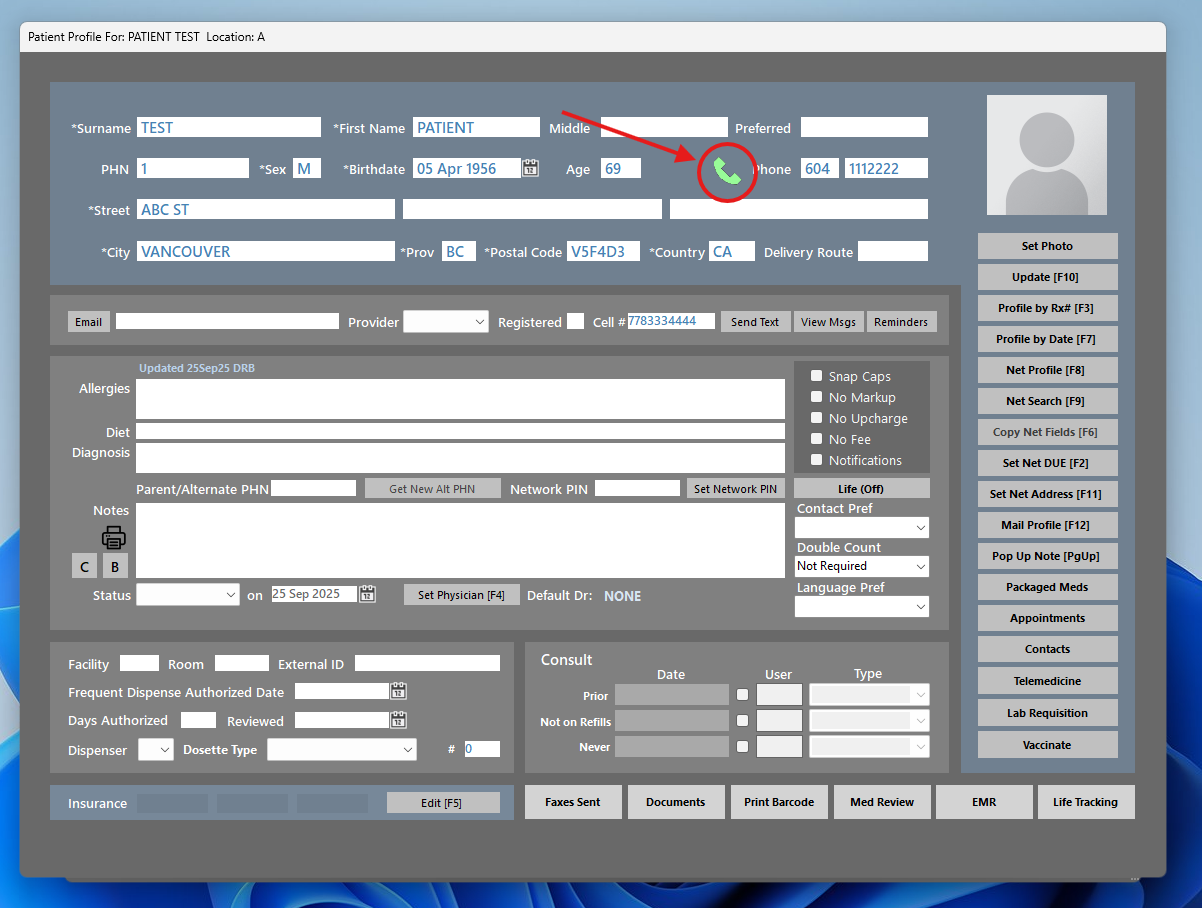
Click Call Button in WinRx
Find the patient record and click on the call button next to their phone number
Where to Find It
Look for the phone icon next to the patient's phone number in their profile or prescription details.
Activate or Login
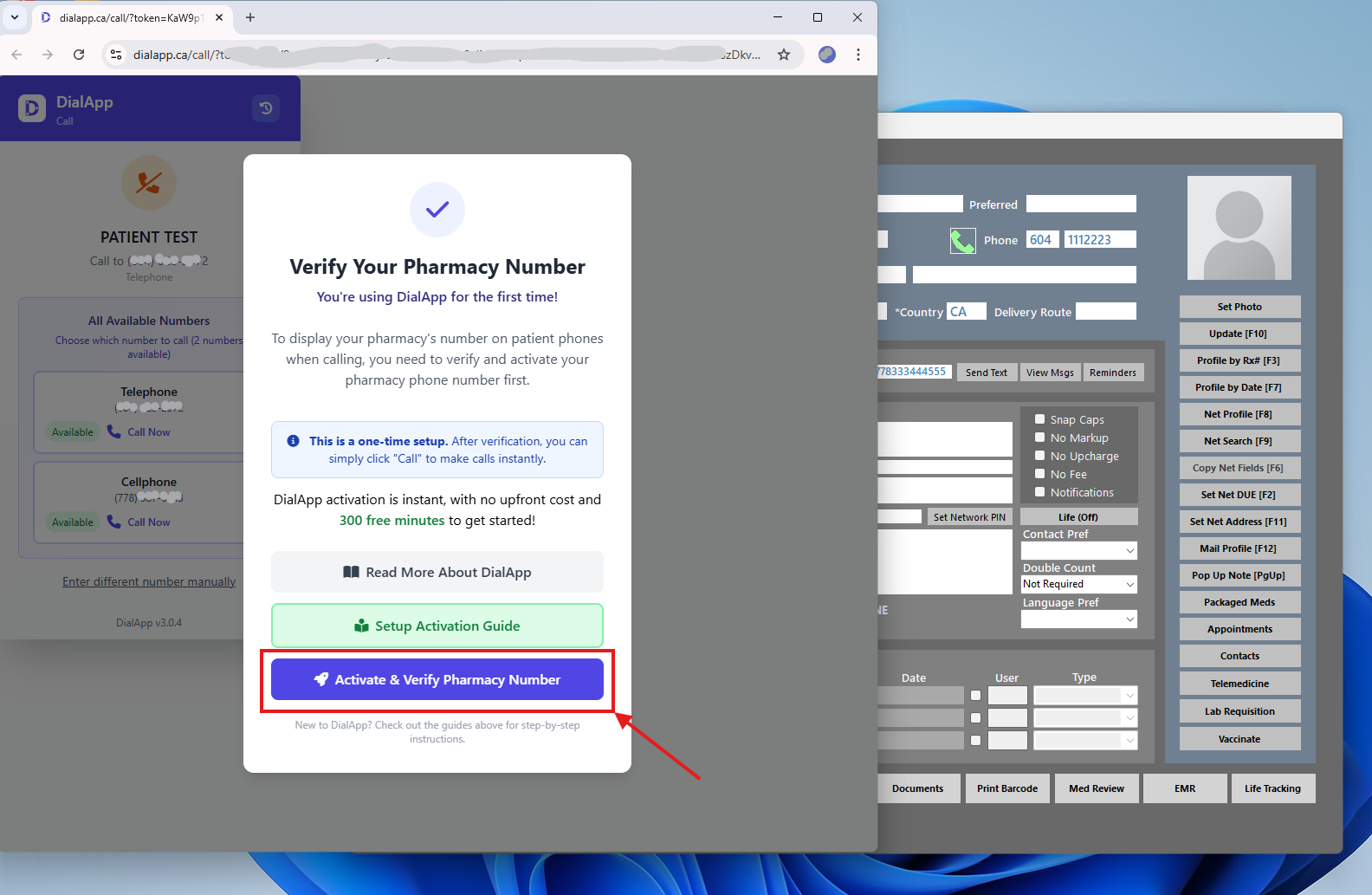
First time users need to Activate
First Time User?
If this is your first time or you're not logged in to DialApp, you'll see a prompt to activate or login. Click the Activate button.
Complete Registration
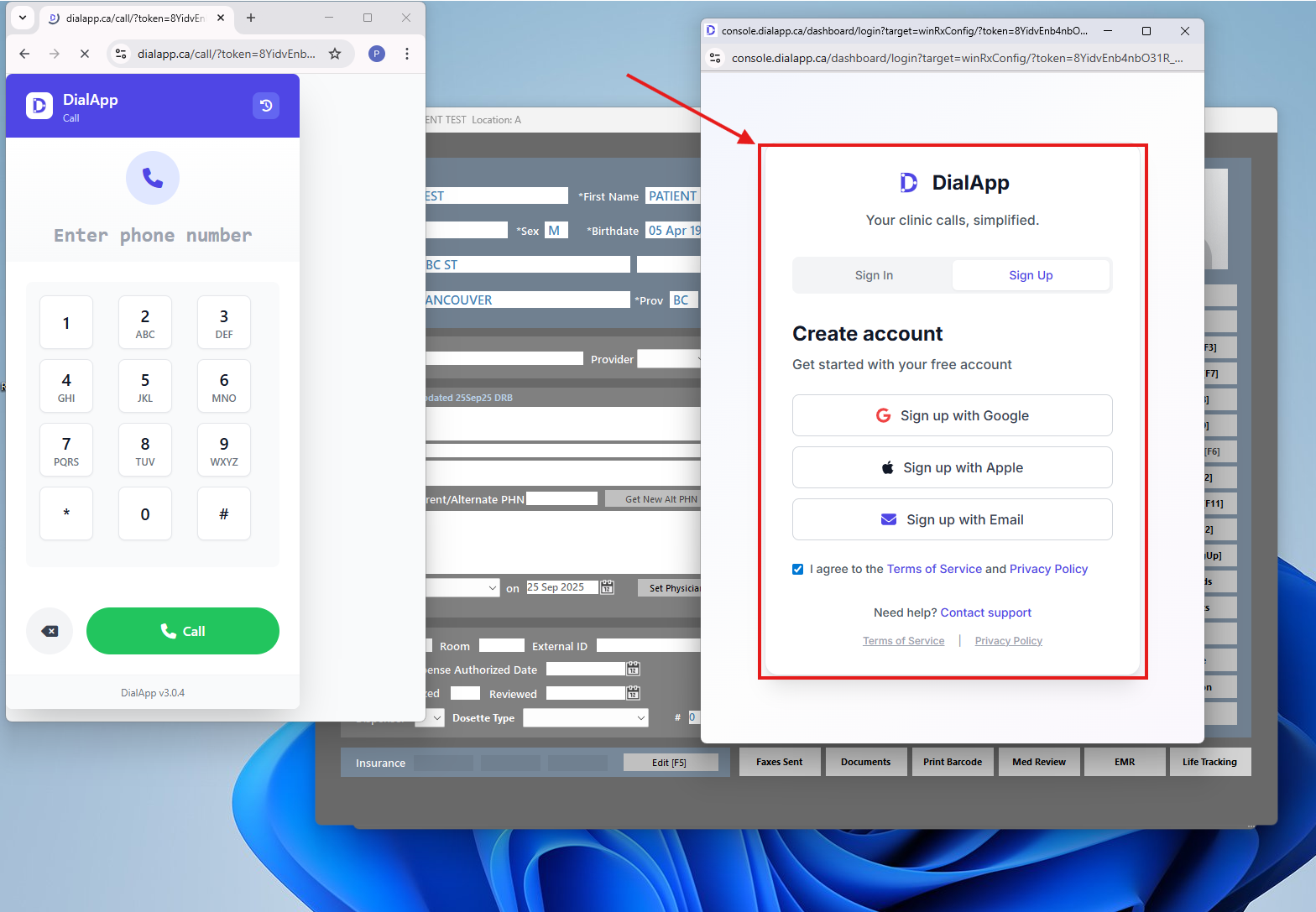
Quick and easy sign up with minimal information
Simple Registration
DialApp registration is quick and requires minimal data:
- Sign up with Google or Apple
- Or enter: Email, First Name, Last Name
Verify Pharmacy Phone Number
Enter your pharmacy's main phone number for verification
Why Phone Verification?
DialApp makes calls through your pharmacy's phone number channel. This ensures:
- No Disruption: Your regular phone service continues normally
- Ownership Verification: Confirms the number belongs to your pharmacy
- Flexible: You can change or remove it later
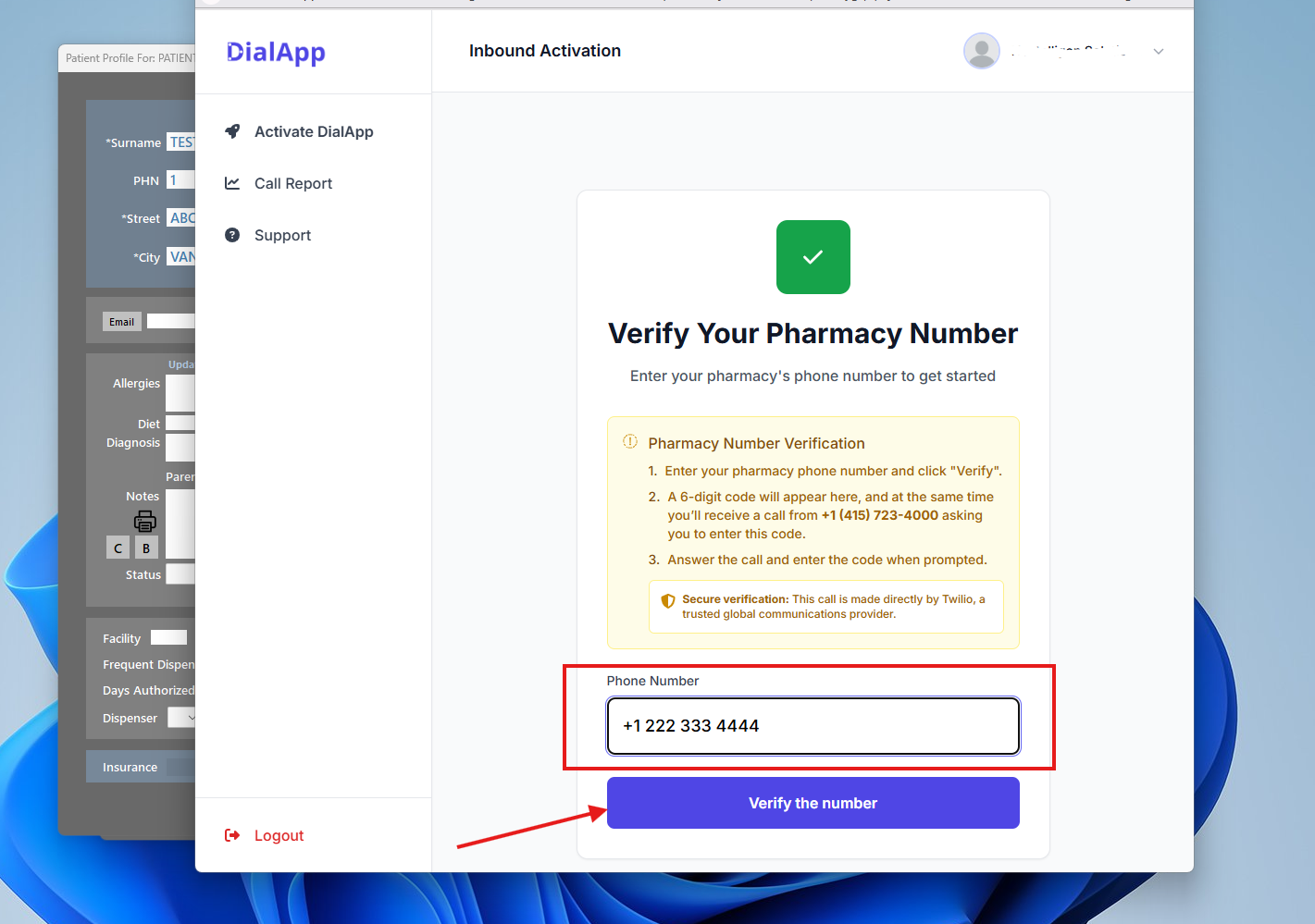
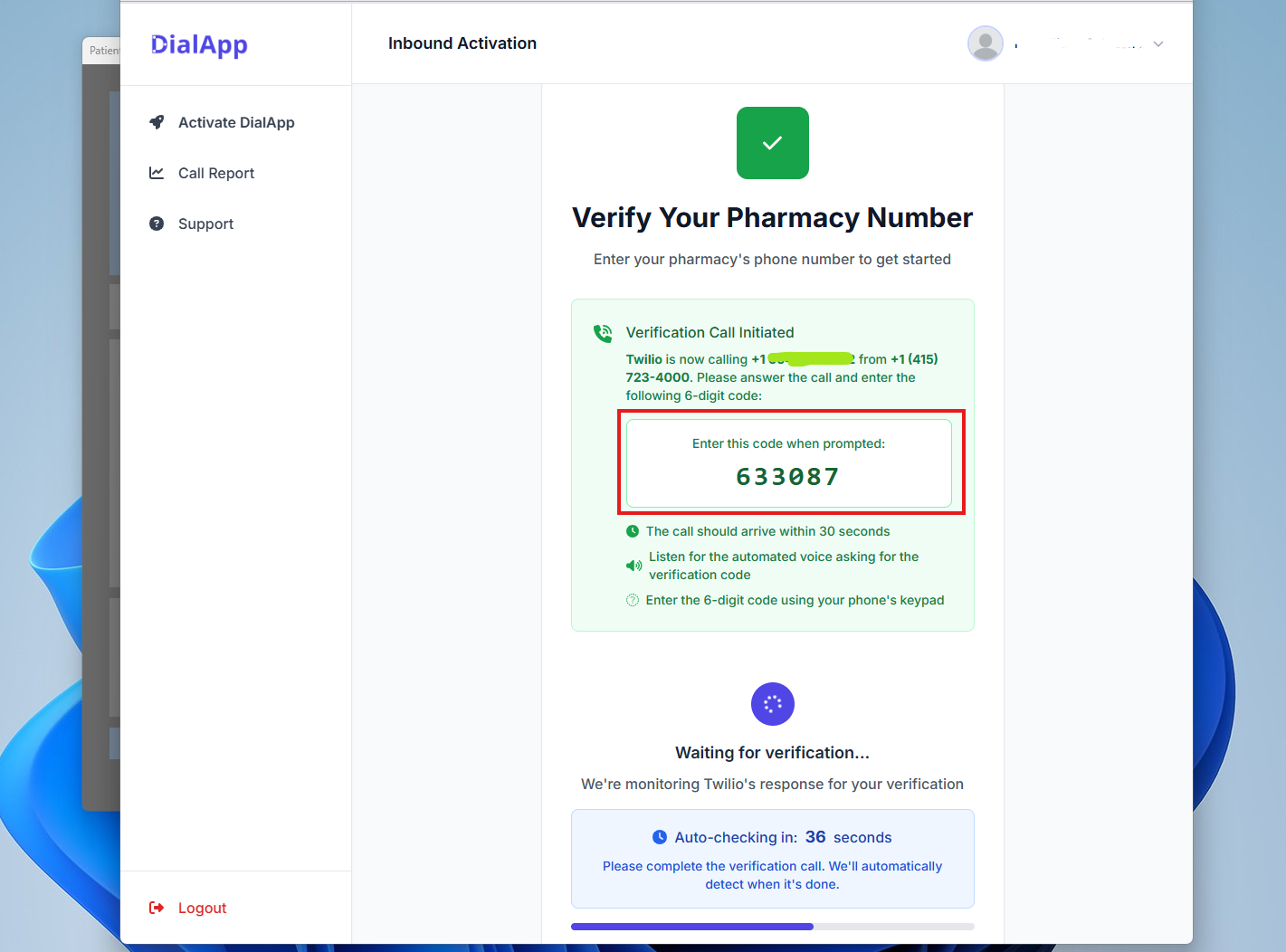
Complete Phone Verification
Answer the incoming call and enter the verification code
You'll receive a call from +1 (415) 723-4000
(This is Twilio's number, our provider)
You're All Set! 🎉
You can now start using DialApp to make calls directly from WinRx.
Keep DialApp Window Open
Important tip for smooth daily operations
Pro Tip
We recommend minimizing the DialApp window instead of closing it:
- Stay logged in for faster calling
- No need to re-authenticate every time
- Enhanced security through continuous authentication
Make Your First Call
Return to WinRx and start calling
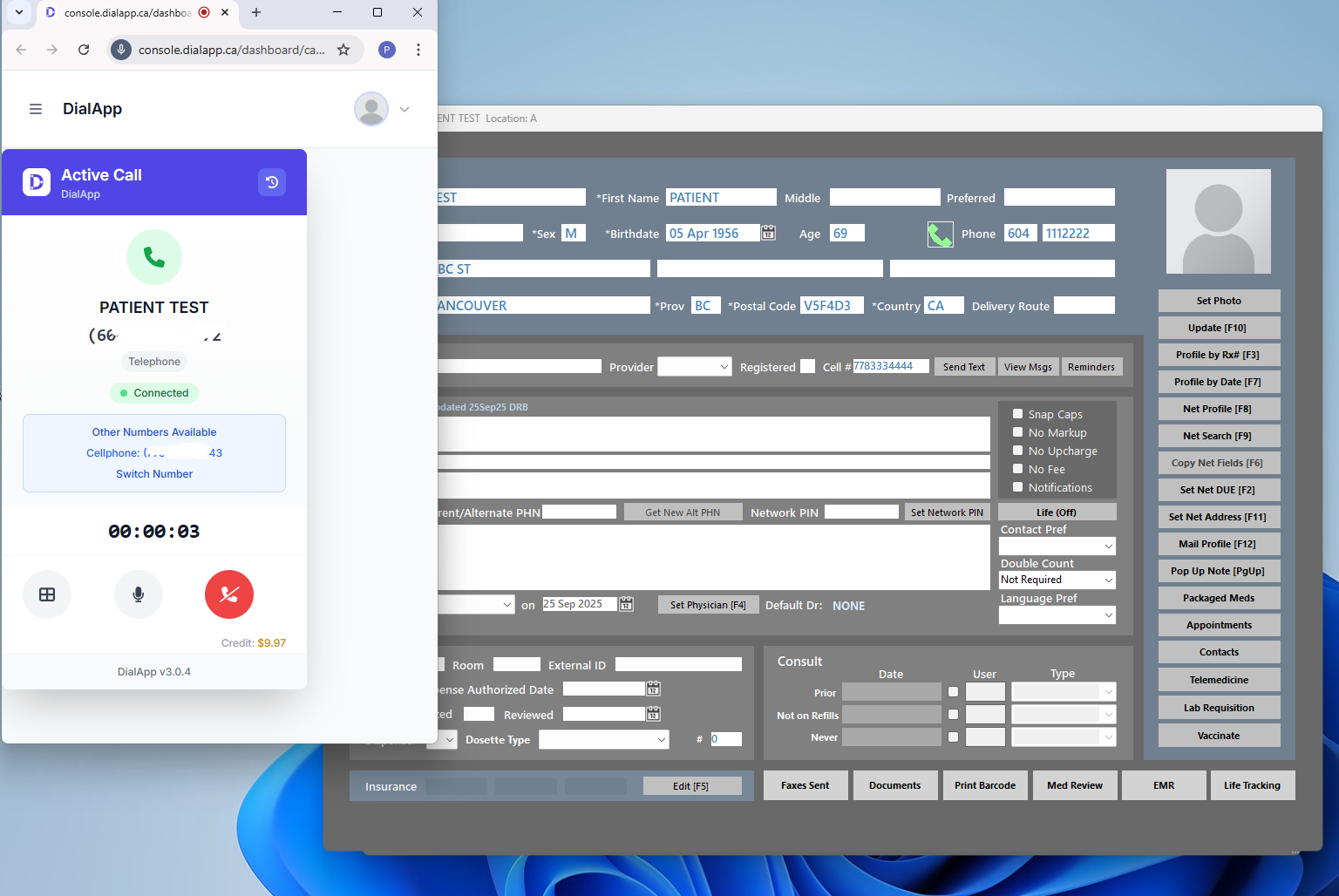
You're Ready to Go!
DialApp is now integrated with WinRx. Here's what you can do:
One-Click Calling
Call patients directly from their WinRx records with a single click
Call History
All calls are logged and accessible in your DialApp dashboard
Professional Service
Calls show your pharmacy's caller ID, maintaining professional appearance
Secure & Private
All calls are encrypted and HIPAA compliant for patient privacy